
THE PRODUCT
Keep the PO
in the full picture.
Supplier dates, job requirements and responses belong together.
Sample screens · Portal access opens at launch
01 / Supplier follow-ups
Follow up with suppliers automatically.
Choose when to follow up before, on or after a date. Review the request and keep supplier responses with the record.
See the walkthrough ↗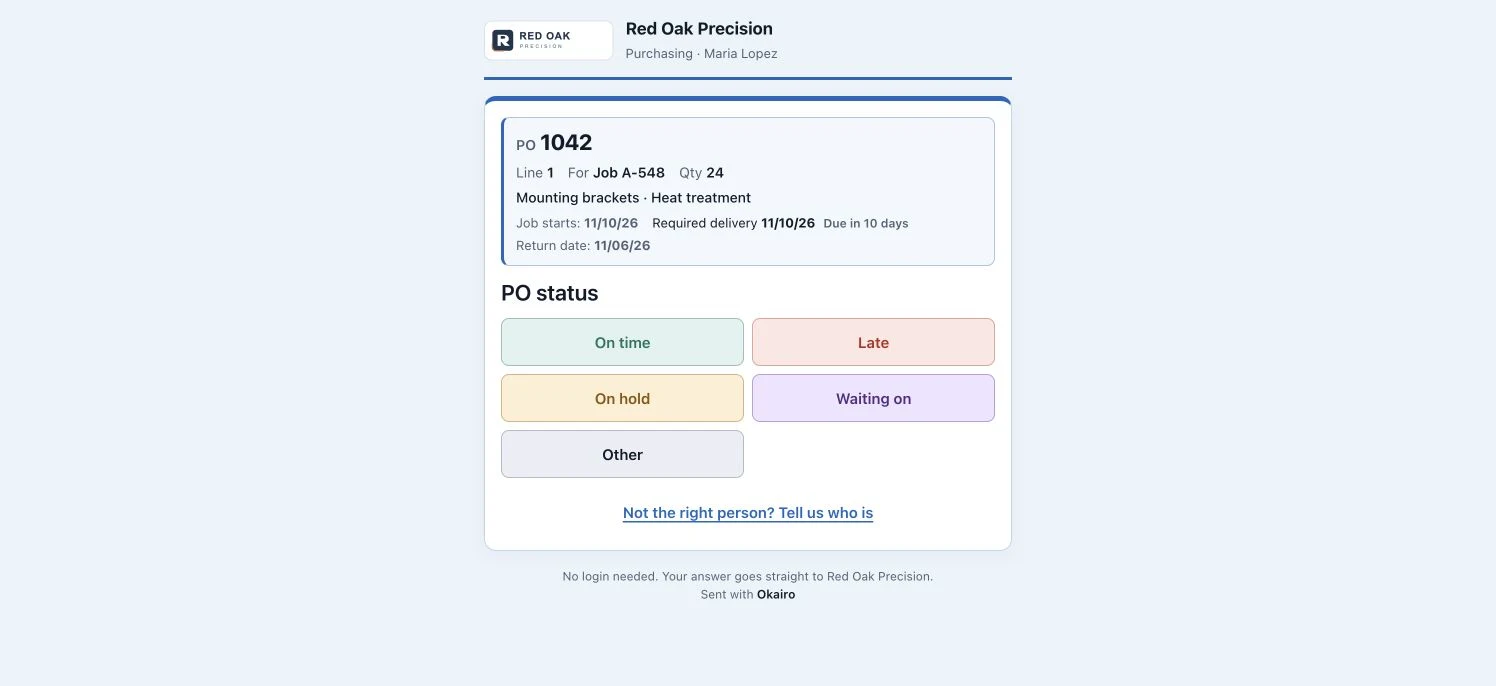
02 / Delivery visibility
See what needs attention.
Compare the supplier’s proposed delivery with your required delivery date. A date-change request stays pending until your team approves it.
See the walkthrough ↗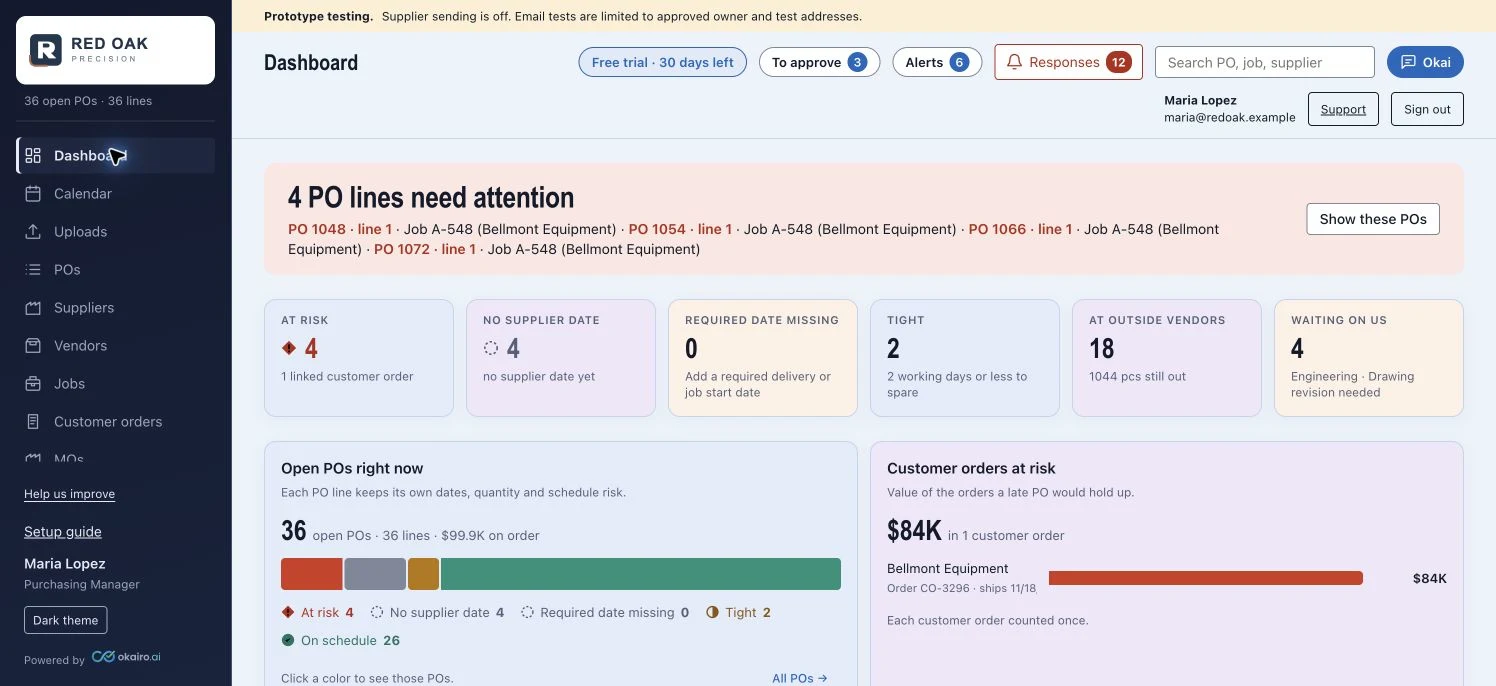
03 / Connected jobs & orders
Understand what a delay affects.
Keep the PO, job and customer order in context. Customer order values describe the connected work; they are not a prediction of lost revenue.
See the walkthrough ↗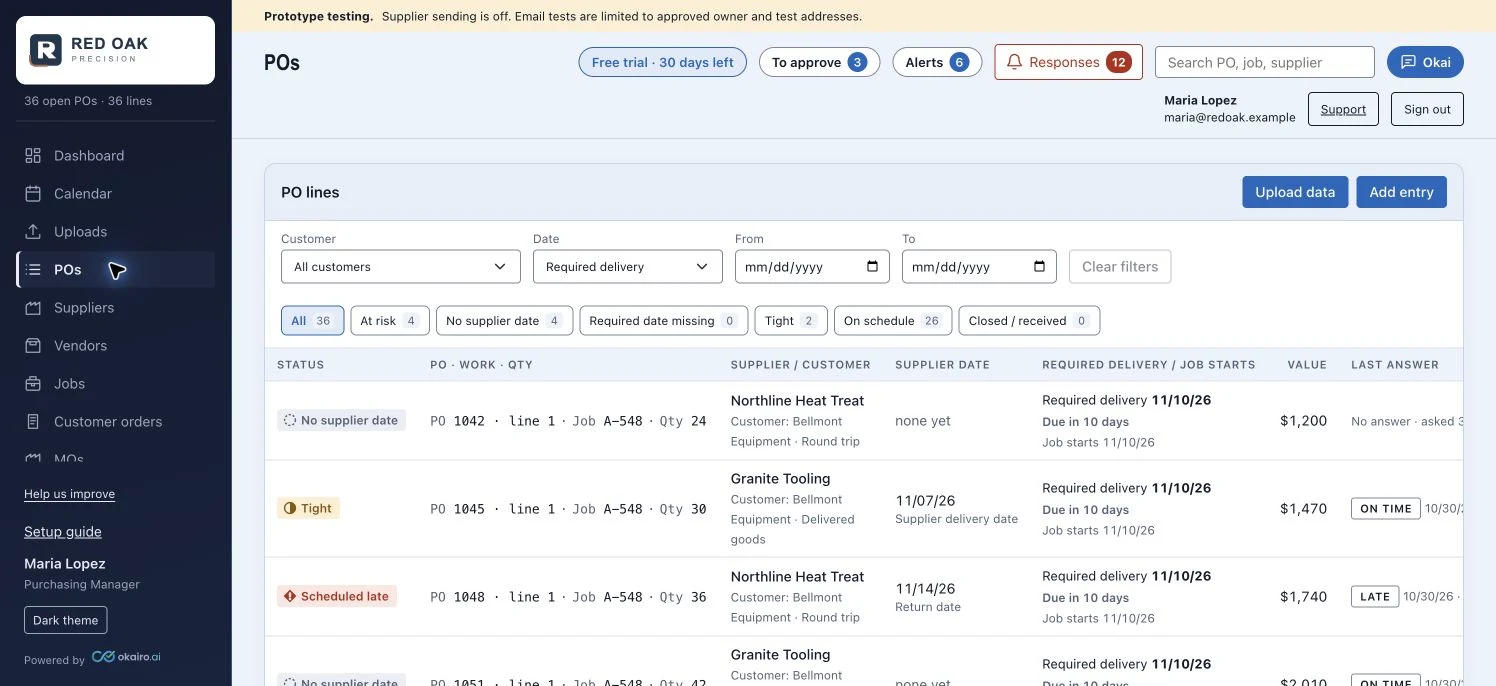
04 / Internal reminders
Remind your team when a supplier is waiting.
When an answer depends on a drawing, approval or internal decision, review the reminder before sending it to the configured contact.
See the walkthrough ↗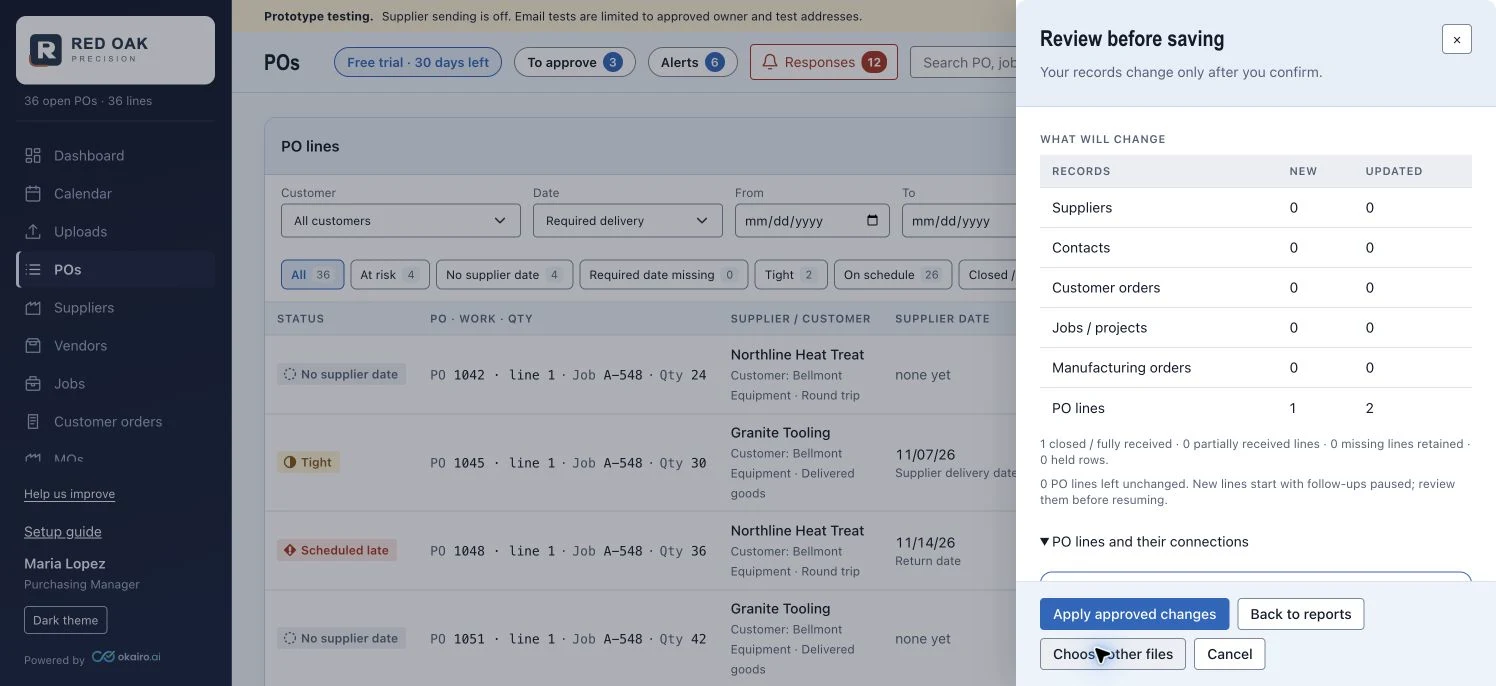
05 / Supplier performance
Know how your suppliers perform.
Use recorded history to compare suppliers. The scorecard shows when there is not enough history to assign a grade.
See the walkthrough ↗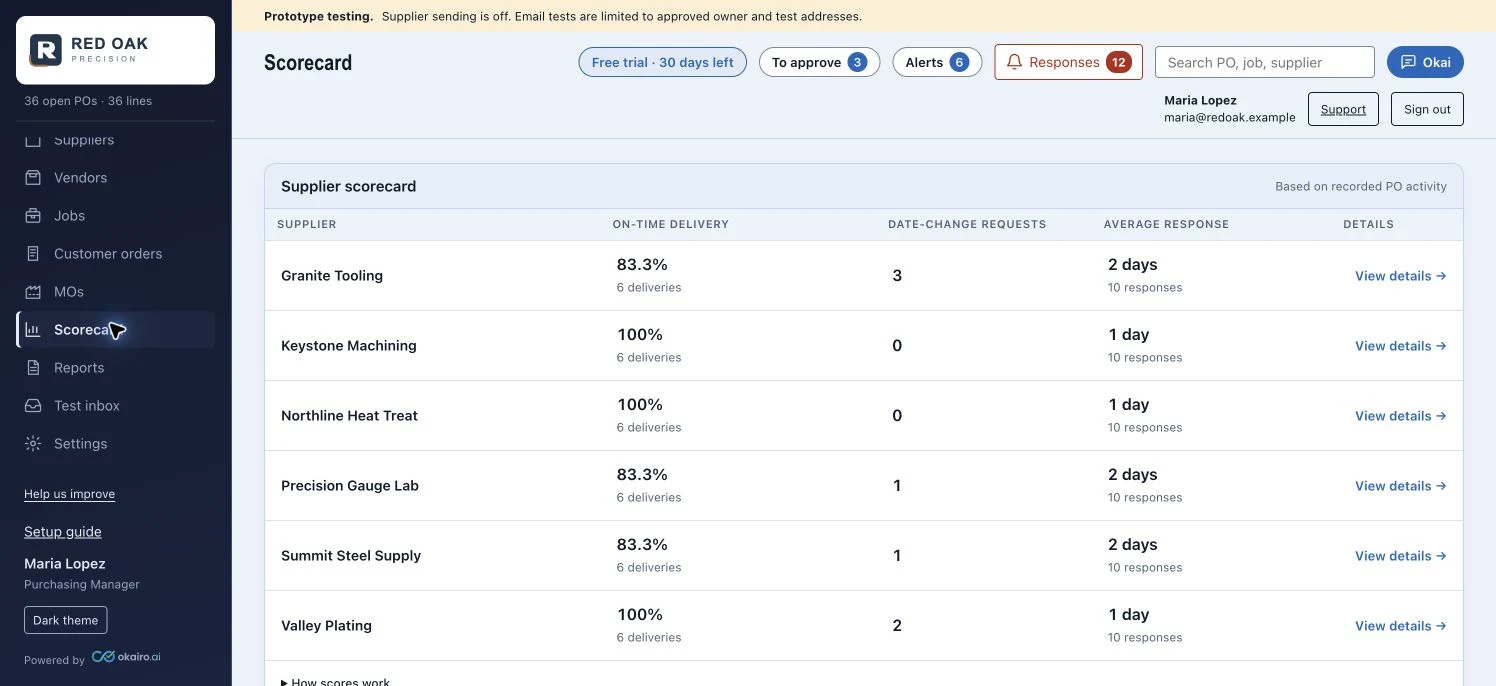
06 / Reports & uploads
Upload your open PO report.
No ERP integration. Upload your Excel or CSV report, then review the changes before applying them. We ask you to confirm unclear columns or dates.
See how records get startedReview before you confirm.
- 01 Choose supported report files
- 02 Match the columns
- 03 Review the proposed changes
- 04 Confirm the records to save
Original files upload when selected. Record changes wait for confirmation.
COMING SOON
Less chasing.
More time to finish, ship and invoice.
Join the list. We’ll let you know when Okairo is ready.
Joining does not start a trial.